
Blog, News, & Resources
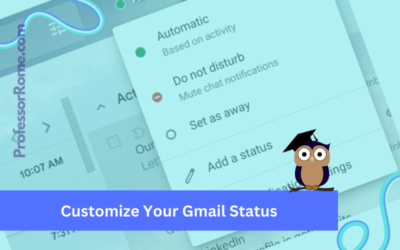
Customize Your Gmail Status
Google Workspace for Business, Education, and Enterprise plans has a customizable status indicator for Gmail and Google Chat. When you open Gmail or Google Chat, the status indicator is automatically set to Active because it is based on your current activity. You can...
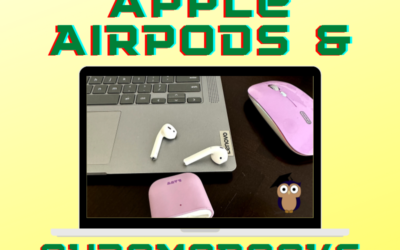
Pairing Apple AirPods to Your Chromebook
Use your Apple AirPods with your Chromebook to listen to your favorite podcast or music, or connect to a Google Meet or Zoom meeting. Pair your Apple AirPods with your Chromebook in 5 easy steps! Tap or Click Quick SettingsTap or click Settings Steps 1 & 2: Access...
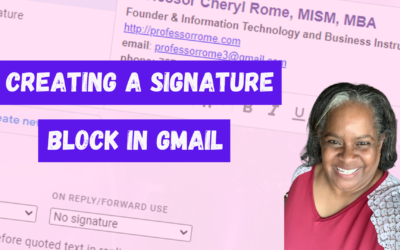
Creating a Signature Block in Gmail
Give your email messages a professional touch by adding a signature block to the bottom of every message. A professional signature block is perfect for show casing your brand and providing contact information. Create a Signature Block Log into your Google account.Open...
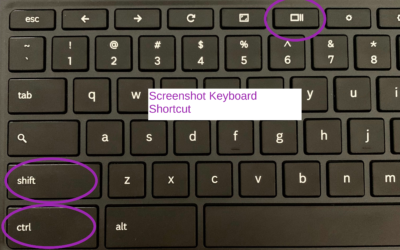
How to Take/Record a Screenshot with a Chromebook
There may be an occasion when you will need to capture information on your screen with your Chromebook. Here's how: Press SHIFT+CTRL+SHOW Chromebook Keyboard Shortcut Select Screenshot or Screen RecordUsing Screenshot, select from:Take a Full ScreenshotTake a Partial...

Step into Professor Rome’s Reading Room—your gateway to digital treasures! Explore ebooks that inspire, educate, and empower, all crafted with care to fuel your success. From study hacks to digital skills, there’s a read for every learner. Browse, download, and level up! 📚✨