
Blog, News, & Resources

Free eBook – Organize Your Day with Google Tasks
Download Your Free eBook Organize Your Day with Google Tasks: Your Guide to Productivity This eBook will guide you through the ins and outs of Google Tasks, showing you how to leverage its features to maximize your productivity and achieve your goals. Whether you're a...

Forget Those Sticky Notes! Why You Need Google Password Manager
Let's be honest, remembering all those passwords for our online accounts is a nightmare. It's tempting to use the same easy-to-remember password everywhere, but that's a huge security risk. Enter: Google Password Manager. This handy tool, built right into your Google...

Homeschool Adventures Await: Exploring the World with Google Earth
Have you ever dreamt of taking your homeschool lessons on a virtual field trip across the globe? Look no further than Google Earth! This free and powerful tool can transform your curriculum into an immersive learning experience, sparking curiosity and igniting a...
The Case of the Disappearing Chrome Button: Where Did My Chromebook’s Customization Button Go?
Ever stare longingly at a blank canvas, yearning for a splash of color and personality? Well, Chromebook users, that feeling might translate to your web browser too! Have you opened Google Chrome only to find the "Customize this page" button mysteriously missing? Fear...

Designing a Unique Theme with Google’s AI
Are you tired of the same old backgrounds greeting you on every new Google Chrome tab? Professor here, ready to show you how to unleash your inner artist and create a one-of-a-kind theme using Google's built-in AI! Gone are the days of scouring pre-made themes. Now,...

Beyond the Inbox: Unlocking the Powerful Potential of Google Groups
Feeling overwhelmed by overflowing inboxes and endless email threads? ProfessorRome.com is here to introduce you to Google Groups, your secret weapon for transforming email chaos into collaborative harmony. Think of it as a digital town square, where colleagues,...
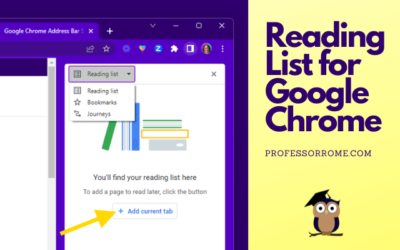
Reading List for Google Chrome
The Reading List for Google Chrome is perfect if you are conducting research and need to save the article or web page for later. You can add an article, website, or blog post to the Reading List, close the tab, and save memory on your computer. Here's how to do it:...
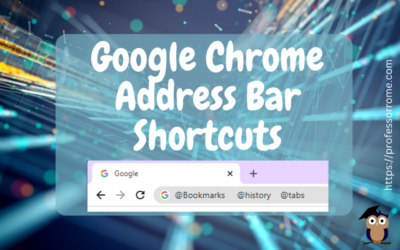
Google Chrome Address Bar Shortcuts
There is no need to click on multiple locations to access your Google Chrome bookmarks, browsing history, or tabs. Here are 3 quick Google Chrome address bar shortcuts: @bookmarks @history @tabs Let's give it a try! @Bookmarks Open the Google Chrome web browser. Type...
Google Chrome: Sharing Web Pages
You're browsing the web and you find an interesting article. Now you can share it directly from your Google Chrome web browser. No need to copy and paste the URL into an email message. You can even share the web page as a QR code! This will work on Chromebooks,...
UPDATE: Reopen Your Last Closed Tab Using Google Chrome
***UPDATE*** Google Chrome has another convenient way to help you easily reopen your last closed tab. Give it a try! Right-click on any open area of your Google Chrome web browser header.Select Reopen Closed Tab. Reopen Closed Tab Screenshot In case you missed the...
Google Chrome: Search Tabs
Do you have several tabs open in your Google Chrome web browser? You can use the Search Tab feature to find your tabs faster. Search Tabs Using Search Tabs Icon Click on the Search Tabs icon located in the upper right corner of your Chrome web browser.Select one of...
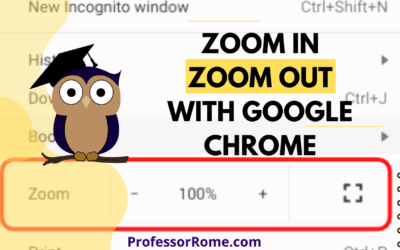
Google Chrome: Zoom In, Zoom Out
Are you having a hard time seeing the text on the Google Chrome web browser? Are you presenting information from a website on Google Meet or another video conferencing app and your participants can't see the page? Make the text larger on the screen by using the...

Step into Professor Rome’s Reading Room—your gateway to digital treasures! Explore ebooks that inspire, educate, and empower, all crafted with care to fuel your success. From study hacks to digital skills, there’s a read for every learner. Browse, download, and level up! 📚✨